



If someone told me a few months ago that I would regularly use a virtual reality headset in my office while sitting in my power wheelchair, I would have told them they were crazy.
It’s not that I’m afraid of technology — quite the opposite. I just never thought I needed virtual reality, or VR as it’s commonly known. However, a few months ago, I was on a social app called Clubhouse when I had the unexpected opportunity to chat with someone involved in developing one of these headsets. He explained that a friend of his has an elderly grandmother living in Germany. Using virtual reality, he was able to keep in touch with her regularly — specifically, to go on virtual walks with her through the village where she grew up in Switzerland.
This hit me like a lightning bolt. My two sons currently live in Germany with their military father for most of the year, and COVID-19 keeps us separated for very long stretches of time. I never imagined something I could simply put on my head would allow the three of us to visit virtually, play games and travel to faraway places in a virtual space. I ordered three headsets on the spot.
I had a lot of questions for this developer. Would I be able to use a VR headset sitting down? How much could I enjoy relying mainly on one hand, since my right hand is very weak due to multiple sclerosis? How easy would it be to find family-friendly apps that the three of us could play together? Would my disability interfere at all with my enjoyment of virtual reality? After using my headset for several months with my children, I can confidently report that VR is something many wheelchair users and people with disabilities can benefit from and enjoy.

Apps and Games
Getting started with VR is simple. A VR system generally consists of a headset and two handheld controllers. I use Facebook’s Oculus Quest 2, although there are other types as well (see Selecting the Right VR System for You, below.)
During the headset setup, you’re able to designate an unobstructed space where you can move and play as a “safe area.” For wheelchair users, this is a circle on the floor and a cylinder in the space above it. The headset tells you if you are coming close to the boundary, so you don’t accidentally bump into anything.
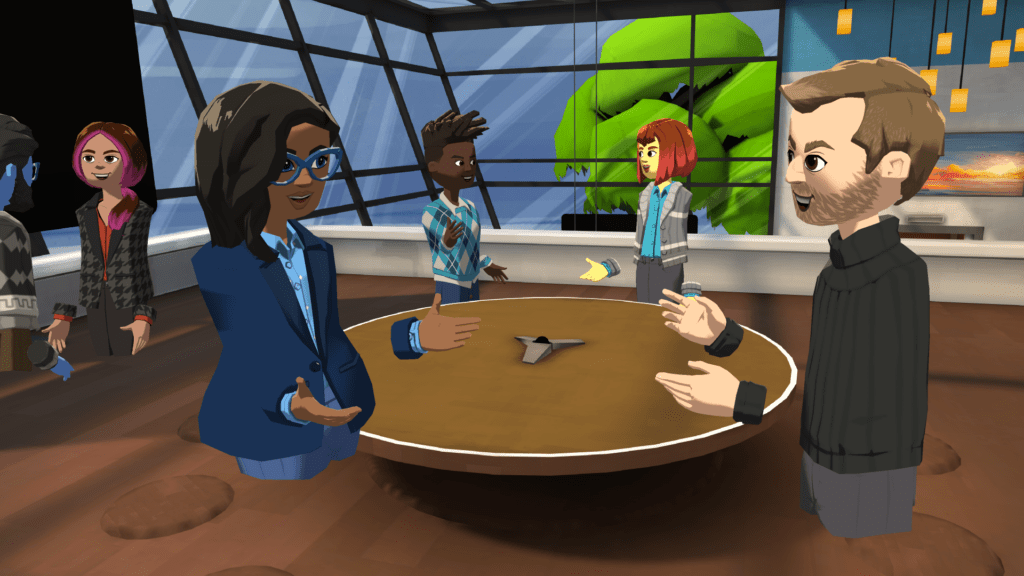
Then you are ready to dive into the VR space itself. It works very much like a computer menu system or mobile app store. However, the choices of games to play and experiences to try can be overwhelming. The great thing is that VR systems come with a mobile app where you can look through the app options on your phone, read reviews and find out if you can play while sitting down or with other people.
Part of the fun is just deciding what games or apps you want to purchase. Thankfully several apps are free to use, and many others have free demo versions you can try before you buy them. Apps range in price from $9.99 to roughly $39.99, depending on the complexity.
A couple of the popular free apps are Bigscreen and AltspaceVR. Bigscreen lets you play games or watch movies in an immersive virtual reality theater, although you do have to pay to rent the movies. AltspaceVR lets you join social spaces where you can interact with other users or create a private room where you can meet up with friends. But probably the most popular app for the Oculus is called Beat Saber. From a static seated position you use two light sabers to slice huge floating blocks in half to the beat of some amazing music. It’s great exercise, a ton of fun, and you can do it one-handed as well.
Finding games that I can play with my boys has been interesting because I need to make sure that I can play sitting down and that it’s easy for me to do with mostly one hand. We have a ton of fun playing Walkabout Mini Golf, and I play a lot of my adult friends as well. They have several virtual courses in different environments and chatting with your friends between putts is a blast. The boys and I also enjoy Real VR Fishing, a sandwich-making game called Cook-Out, and traveling virtually with Wander, which uses Google Earth images from all over the world in 360° panorama view.
Real Connections
While all of the technical and logistical details are important to know, what I have personally found to be the biggest benefit to virtual reality as a wheelchair user — especially during a pandemic — is the ability to help keep people connected. Living with a disability and as a wheelchair user can be an incredibly isolating experience. Couple that with quarantine and the difficulty of leaving home for fear of contracting COVID-19, and loneliness and depression can set in. Technology is often derided as something that separates us from humanity because it removes that interaction. But virtual reality is helping to change this.
Because of the pandemic, I went almost 10 months without seeing my two children. The longest we were separated before that was only a few weeks. Even though you’re only seeing the other person’s avatar, or self-styled digital image in virtual reality, just hearing their voices and being able to hug them virtually is incredibly emotional. I can give my sons high-fives and hear their voices just like they’re sitting right next to me in my living room.

Over the summer, I connected online with the dozens of fellow voice actors through the Clubhouse app on my iPhone. Several of us started using the Oculus a few months ago, and we have gotten together regularly in VR to play miniature golf or just hang out in a virtual space to chat and catch up. A few weeks ago, during a trip to New York City for the Abilities Expo, I met with two of those friends in person for the first time. As I type this, I’m in Houston, where I met yet another fellow voice actor and VR friend in person yesterday for the first time.
I’m not a psychologist or a mental health expert by any stretch of the imagination. But as someone who has struggled with not feeling comfortable leaving the house for so many months because of an autoimmune disorder and not being able to travel for my work as an accessible travel writer, virtual reality has been a total lifeline. Just thinking about what it has done for my ability to stay connected to my two children brings tears to my eyes.
While I hope this information helps you decide whether virtual reality is right for you, I highly encourage you to do as much research as possible on the specifics of each VR system. It can be a sizable financial investment depending on your budget. A lot of people are using VR headsets these days, so reach out to your friends through social media and ask what they think about it. Make sure you find out the return policies for each system, so if you find you can’t use it with your particular wheelchair or disability, you can return it for a full refund. And if it all works out, keep an eye out for me in AltSpaceVR.
Selecting the Right VR System for You
If you’re interested in delving into the crazy world of virtual reality, it’s important to find out if any of these systems will work for you and, if so, which one will work best. I chose the Oculus Quest 2 because I knew it would work for my body and the use of my power chair. Here is more on what three of the leading systems offer and what to keep in mind while selecting.
Oculus Quest 2
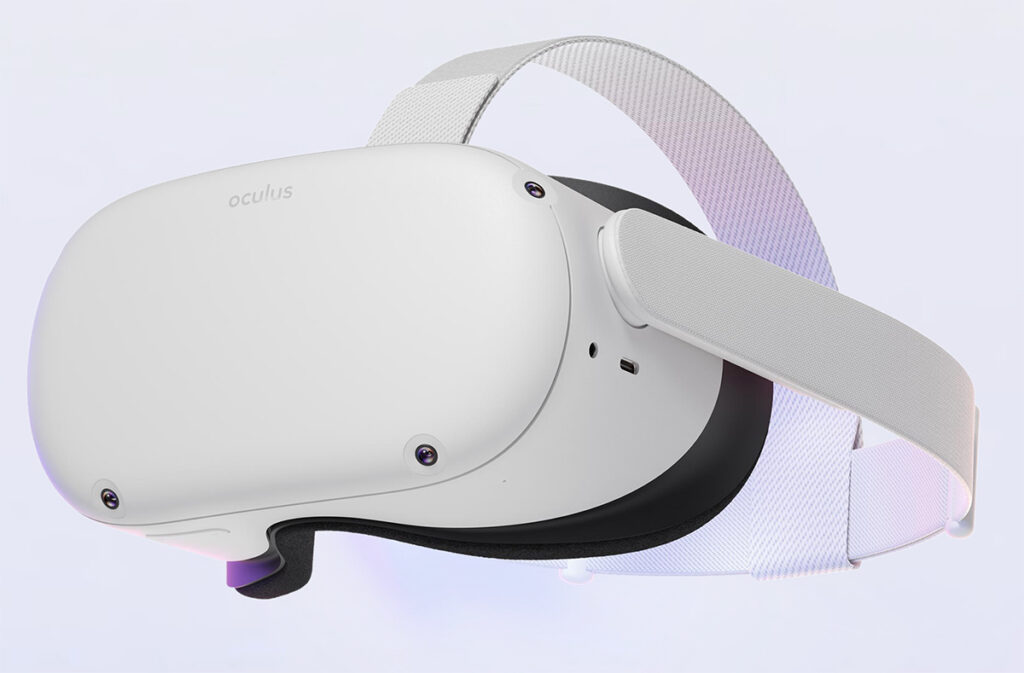
With a comfortable headset and built-in speakers, the Quest 2 headset offers a truly immersive experience at the reasonable starting price of $299. The two controllers have straps and ergonomic designs that should help anyone with limited hand function, even if pressing the buttons is problematic. You can connect the Quest 2 to your computer for more gaming options, but you don’t have to. It’s easy to download games and apps untethered. The lack of extra wires is a bonus, as is the unencumbered setup. Just be aware, you do have to use a Facebook account.
Sony PlayStation VR
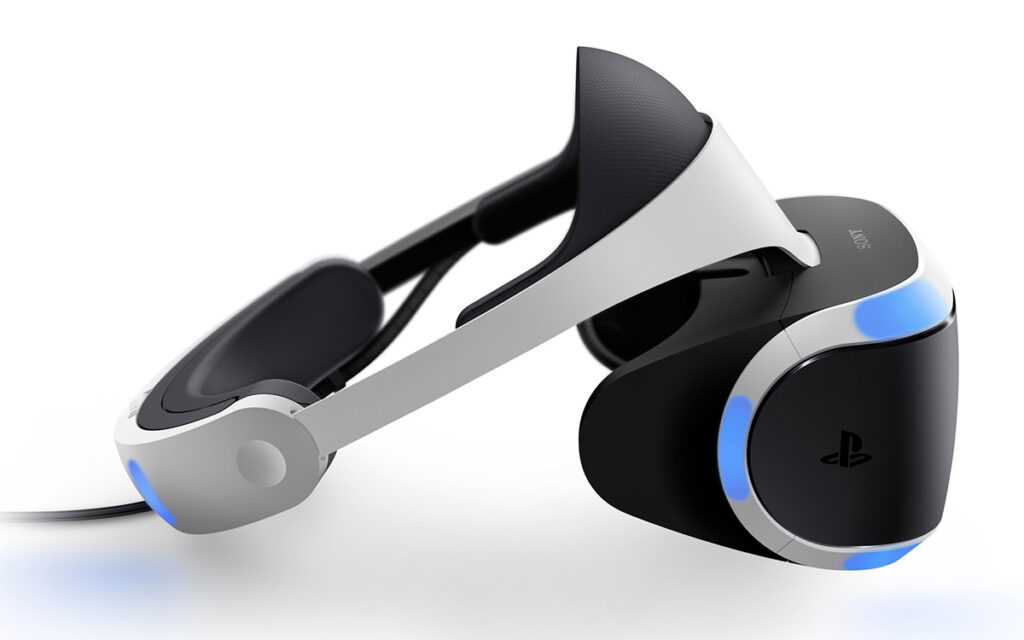
With a large selection of well-produced games, including some exclusives, PlayStation VR is ideal for gamers. In addition to the VR setup, you’ll need a PlayStation 4 or 5. While the backward compatibility is nice, it comes with the cost of lower resolution. Keep in mind that Sony is currently working on a next-generation VR setup.
HP Reverb G2
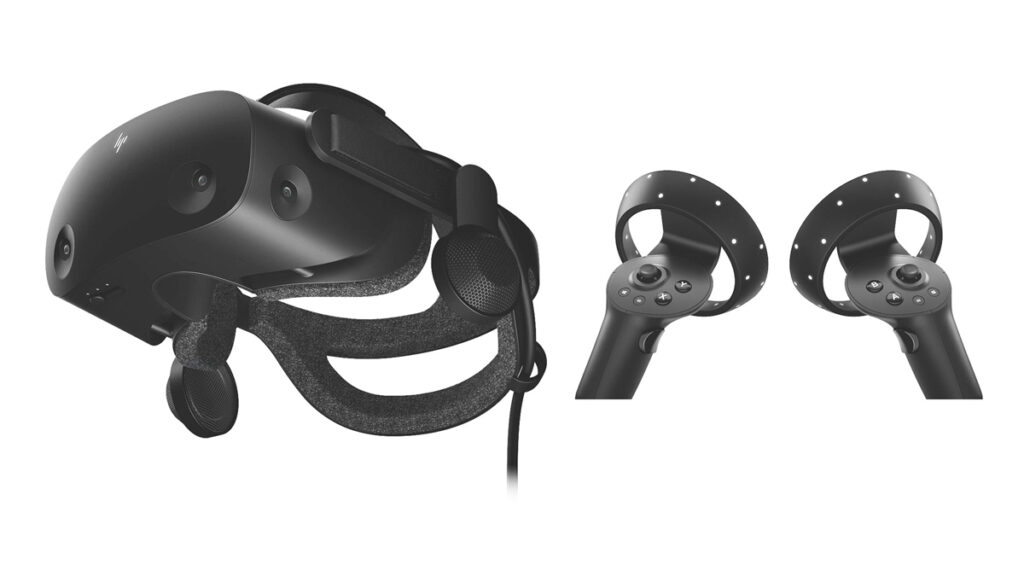
Running on Microsoft Windows, the Reverb G2 delivers arguably the best image quality of the consumer VR systems and a comfortable headset. Still, it falls short of its competition in many other areas. The buttons on the motion controllers are small and hard to differentiate between, not to mention they are notorious for not tracking as well as other systems’ offerings.
Support New MobilityWait! Before you wander off to other parts of the internet, please consider supporting New Mobility. For more than three decades, New Mobility has published groundbreaking content for active wheelchair users. We share practical advice from wheelchair users across the country, review life-changing technology and demand equity in healthcare, travel and all facets of life. But none of this is cheap, easy or profitable. Your support helps us give wheelchair users the resources to build a fulfilling life. |


Sylvia,
I was SO excited to see your post on VR. I appreciate your info so much! Virtual travel has been a dream for me. I loved flying,, even finished ground school. Finishing my pilots license and travel were my retirement plan. I have been saying to anyone who would listen that VR is a way to bring the world to me. My car accident changed everything, except that I’m going to push the limits as far as possible. I still drive, however, three shoulder surgeries during the pandemic has changed what I am able to do and am adapting. Need caregiver help several hours in AM & a couple of hours at night. I use a power wheelchair with complex technology. Live with tetraplegia (C5 incomplete AKA broken neck) and am much older than you. Crash was in 2005. My daughters are travelers and bring their travels to me via FaceTime. I’ve seen Paris from the Eiffel Tower, Germany, the Netherlands, Hawaii, Italy,, the Mona Lisa and so on.
Thank you so much for giving me some beginners information. Oculus has been on my Christmas list. Now, I know where to start! Happy travels!!!
Carla Steinbuchel, MN, CCRN, APRN, CNS, PNP-BC